PiFlux · Volume 5
The Add-On Catalog
Every PiFlux add-on detailed: what it is, what it does, and when to choose it
5.1 Add-On Overview
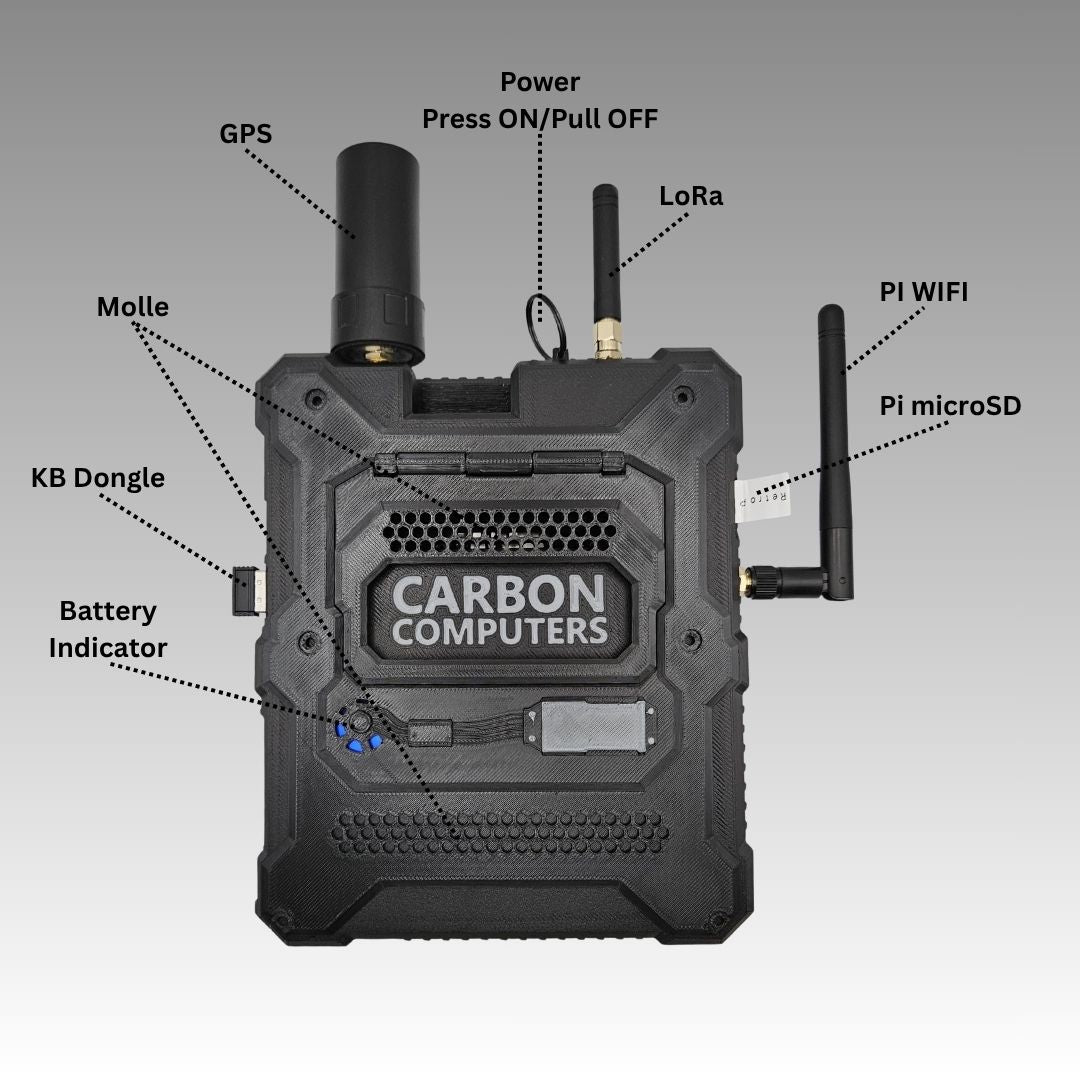
A complete PiFlux, as described in Volume 1, is a fully working Linux field computer before a single add-on is installed. Everything in this volume is an enhancement the owner layers on top of that base — some purchased at checkout, some added later. Carbon Computers’ current lineup breaks into eight offerings: two radio tiers, an NVMe storage expansion, a second Wi-Fi radio, an active cooling system, a run of SD card capacities, a no-compute barebones chassis, and a DIY replacement case.
In one sentence each: the Base Radio ($49–$59) adds onboard GPS and LoRa without SDR; the Advanced Radio ($149) adds the same GPS and LoRa plus a USB path for an external SDR dongle; the M.2 Mod ($59) opens an NVMe storage slot on the Pi 5’s PCIe lane; the External WiFi Mod ($39) adds a second Wi-Fi radio with its own external antenna; the Active Cooling System ships standard on every complete unit, not as a separate line item (Section 6); SD Cards come in 128 GB and 256 GB for owners who want factory-supplied storage; the Barebones Kit ($299) is the chassis-only path for builders sourcing their own Pi 5; and the 3D-Printed Case ($49.99) is a replacement housing for modified builds.
Two of these — Base Radio and Advanced Radio — are mutually exclusive; a PiFlux carries one radio board or the other, never both. The rest combine freely, subject to the physical constraints Volume 6 works through. Volume 6’s installation order for a fully-loaded complete-unit build runs: M.2 Mod first (it claims the PCIe/HAT+ connector before anything else goes in), then the radio board, then the External WiFi Mod. Active Cooling does not appear in that sequence for a complete-unit buyer — per Carbon Computers’ own “Three Ways to Buy” breakdown, it ships pre-installed on Plug & Play units, with nothing to fit. It only becomes a build-time question on the Barebones path, which excludes the cooling system outright and offers no standalone SKU to add it back in — a gap Section 6 and Volume 4 return to.
The reader shopping this catalog should decide the radio tier first (Section 2 vs. Section 3), since it forces a $100 spread and cannot be undone without buying the other board outright, then layer in storage, Wi-Fi, and cooling decisions in whatever order suits the budget.
5.2 Base Radio — GPS + LoRa ($49–$59)
5.2.1 Base Radio: what it is
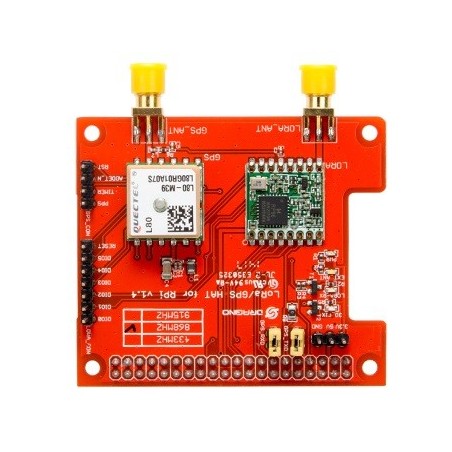
The Base Radio is a single internal board carrying a GPS receiver and a LoRa transceiver, installed inside the PiFlux chassis with antenna leads routed to external connectors — the antenna pair visible in Figure 5.1. Carbon Computers’ product page describes the module simply as “Built-in GPS+LoRa” and does not publish the receiver or transceiver chip vendor or part number; this reference cannot confirm whether the GPS front end is a u-blox-class module or another vendor’s part, or identify the LoRa transceiver silicon, without physically inspecting a unit or consulting Carbon Computers’ own documentation. Readers who need the exact chipset for driver or regulatory purposes should ask Carbon Computers directly or open the case once the unit is in hand.
One pricing quirk worth flagging: the Base Radio’s $49–$59 range tracks chassis color, not a feature difference — Black lists at $49, Gray at $59. The Advanced Radio, M.2 Mod, and External WiFi Mod carry no such split; each is a flat price regardless of color.
5.2.2 GPS capability
The product page does not publish cold-fix or warm-fix timing, receiver sensitivity, or channel count for the Base Radio’s GPS function — those figures would need to come from Carbon Computers’ own module documentation or bench measurement once hardware is in hand. What can be stated with confidence from the platform context: a GPS module of this class on a Raspberry Pi typically surfaces as a serial device delivering standard NMEA sentences, consumed on Linux via gpsd and, where hardware time discipline matters, chrony synced to the GPS pulse-per-second or NMEA time fields — the same software path Volume 7 assumes when it discusses time-sync options across the PiFlux’s supported operating systems. Whether the exterior antenna connector is active (powered) or passive is not stated on the page; assume active unless box documentation says otherwise, since most compact GPS modules in this class specify one.
5.2.3 LoRa capability
The product page states the Base Radio includes LoRa without naming an operating frequency band, a specific transceiver chip, or the Pi-side bus (SPI or UART) the board uses. This matters in practice — LoRa hardware is band-locked to regional allocations (roughly 915 MHz in the US, 868 MHz in the EU, among others), and a board built for one region will not legally or usefully operate in another. Readers planning cross-border field use should confirm the shipped band with Carbon Computers before ordering rather than assuming a US-market default. The software stack that talks to the transceiver — a vendor HAT driver, a generic library such as RadioLib, or a full LoRaWAN stack such as the-things-network’s — is likewise unspecified and depends on whatever Carbon Computers ships or documents.
What is reasonably inferable from the platform: LoRa’s whole design point is long range at low bandwidth and low power, which is why it pairs naturally with GPS on the same board — a common field pattern is a GPS-tagged LoRa telemetry packet or a LoRa mesh node that timestamps and geotags its own transmissions.
5.2.4 When to choose Base Radio
The Base Radio is the right choice for GPS field logging, GPS-disciplined time sync, LoRa sensor telemetry, or LoRa mesh networking — any workflow where position awareness or long-range low-bandwidth packet radio matters but wideband SDR receive does not. It is $90–$100 cheaper than the Advanced Radio for exactly that reason: it omits the SDR interface entirely.
The Base Radio cannot be field-upgraded to SDR capability; a reader who later wants SDR must purchase the Advanced Radio board outright and swap it in, or add a separate USB SDR dongle to the Pi 5’s own USB ports independent of either radio module (a workable but less integrated path — see Volume 8). One purchasing detail specific to the Barebones path: Carbon Computers’ page notes that if the Base Radio is ordered alongside a Barebones Kit rather than a complete unit, it “can’t be installed by us” — the buyer receives a parts kit and installs the board themselves, which Volume 6 covers as part of the full-build procedure.
5.3 Advanced Radio — GPS + LoRa + External SDR ($149)
5.3.1 What it adds over Base Radio
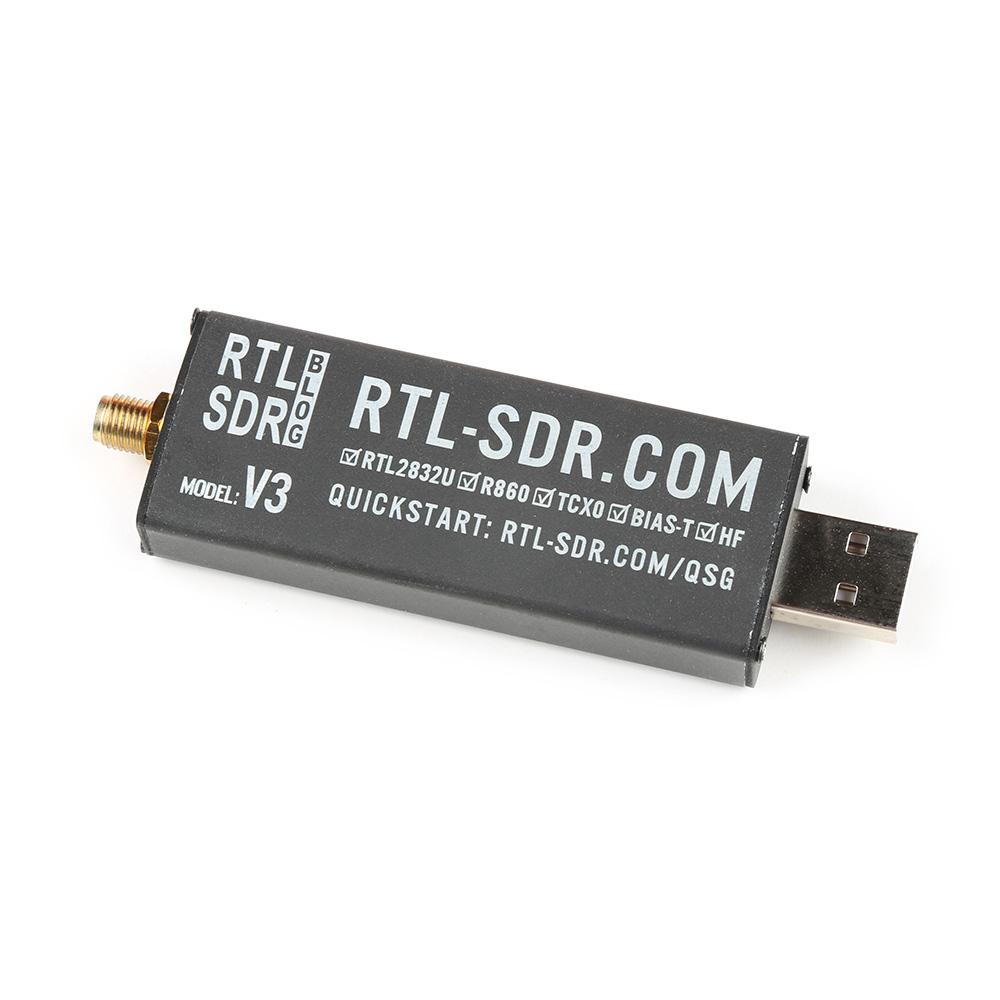
The Advanced Radio carries the same GPS and LoRa functions as the Base Radio — the product page describes it as “Built in GPS+LoRa - External SDR,” language that reads as additive rather than a different radio implementation. On top of that, it adds the SDR path covered in Section 3.2. At $149 flat (no color split, unlike the Base Radio), the Advanced Radio costs $90–$100 more than the Base Radio depending on chassis color. Everything the Base Radio buyer gets — GPS logging, LoRa telemetry or mesh — the Advanced Radio buyer also gets, plus the SDR interface. There is no scenario where the Base Radio provides a capability the Advanced Radio lacks; the choice is purely whether the SDR premium is worth paying.
5.3.2 The external SDR interface
The product page’s own compatibility language lists “SDR accessories” among the hardware the redesigned PiFlux chassis supports, and separately references an external USB SDR dongle in describing the Advanced Radio path. Read together, this indicates the interface is a USB connection rather than an SMA-fed onboard tuner — the Advanced Radio’s “SDR support” is a USB path intended to accept an off-the-shelf SDR dongle, not an integrated SDR chip soldered to the board.
Two details the page does not resolve, and that this reference will not guess at: whether a specific dongle ships in the box with the purchase or whether the $149 buys only the USB interface and mounting provision with the dongle sourced separately, and which dongle(s) Carbon Computers has actually validated against the module, if any. A buyer for whom this distinction matters should confirm directly with Carbon Computers or consult the build video before ordering. Volume 8 picks up the software side in full: the SDR stack (GQRX, SDR++, GNU Radio) that runs against a USB-attached dongle on Pi OS ARM, once one is connected.
5.3.3 When to choose Advanced Radio
The Advanced Radio is the right call for wideband receive work — spectrum observation, signal hunting, ADS-B or ACARS reception, AIS, APRS receive, and amateur radio digital modes — anywhere the reader wants a field SDR front end alongside GPS and LoRa in one integrated board. Whether the $149 price beats a Base Radio plus a separate USB SDR dongle in a spare Pi 5 USB port — a path the platform supports regardless of which radio board is fitted, since RTL-SDR-class dongles are themselves ordinary USB devices — comes down to how much the reader values the Advanced Radio’s dedicated provision. A reader without a dongle already in hand gets the cleanest single-purchase path from the Advanced Radio; a reader who already owns one and only needs GPS and LoRa gets to the same functional outcome more cheaply via the Base Radio.
5.4 M.2 Mod — NVMe Storage ($59)
Volume 3 is the authoritative treatment of the M.2 Mod; this section summarizes it for the catalog. The M.2 Mod is a physical adapter that exposes the Raspberry Pi 5’s PCIe 2.0 lane — carried over the HAT+ connector — as an M.2 Key M socket inside the chassis, at $59 flat. Fitting it enables NVMe boot, a meaningful step up in both throughput and random-access latency over the bundled microSD, and opens a dual-storage layout where the SD slot stays available for OS-swap workflows (Volume 7) while the NVMe drive carries the primary working filesystem.
The M.2 Mod is the right choice for storage-sensitive workloads — SDR capture to disk, larger datasets, heavier logging — and is a reasonable default for anyone who wants a more durable long-term boot medium than a microSD card, which has comparatively limited write-endurance under sustained I/O. Volume 3 covers form-factor compatibility (2230 and 2242 are the relevant sizes here), drive selection, and boot configuration in full; Volume 4 covers the thermal and power consequence of adding an active NVMe drive.
5.5 External WiFi Mod ($39)
5.5.1 External WiFi Mod: what it is
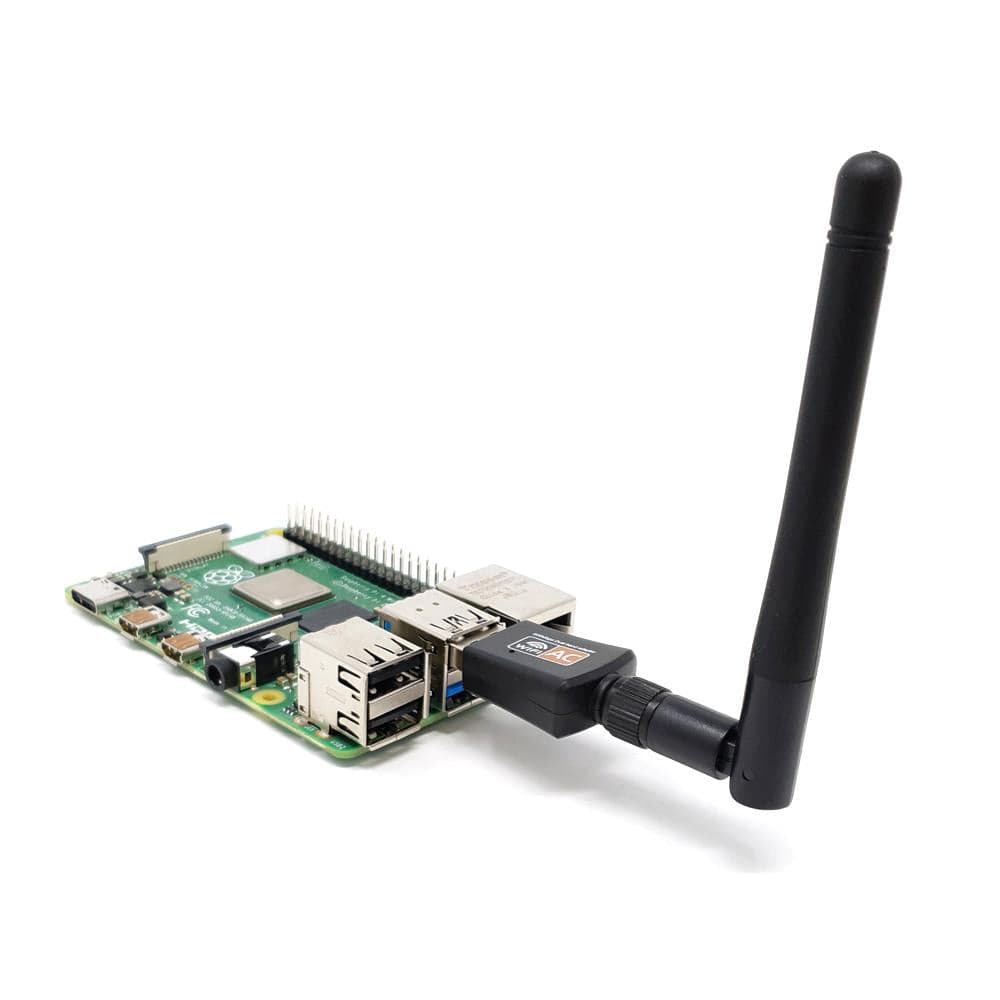
The External WiFi Mod adds a second Wi-Fi radio to the PiFlux, distinct from the Pi 5’s own onboard wireless interface, at $39 flat. The product page describes it as an “external antenna WiFi upgrade” but does not publish the adapter chipset, the interface it uses to reach the Pi (most plausibly USB, given the pattern of the other add-on modules, but not stated outright), or which Wi-Fi bands and standards it supports. A reader for whom band support (2.4 GHz only versus dual-band, or Wi-Fi 6) is purchase-deciding should confirm directly with Carbon Computers rather than assume an unstated spec. What the name and hardware do confirm is the externally-mounted antenna itself, visible at the rear of the chassis in Figure 1.6 (Volume 1) alongside the GPS and LoRa antennas — distinguishing this module from simply relying on the Pi 5’s internal antenna.
5.5.2 Dual-radio use cases
A second Wi-Fi interface earns its keep in a small number of specific workflows rather than as a general throughput upgrade. The most common is running one interface in monitor mode for wireless security research while keeping the other associated to a management-plane network for internet access, SSH, or exfiltrating capture data — a pattern familiar to anyone who has used a Kali or Parrot toolset on a laptop with a built-in Wi-Fi card plus an external adapter (Volume 7 covers both distributions on the PiFlux). Monitor mode requires driver support for the specific chipset in use, which is one more reason the unstated adapter chipset matters to a security-research buyer; tools such as aircrack-ng and its surrounding ecosystem expect a monitor-mode-capable driver underneath them.
Beyond security research, a second Wi-Fi radio is also useful for simultaneous 2.4 GHz and 5 GHz coverage where the deployment environment favors splitting the two, or for running the PiFlux itself as a dedicated access point on one interface while using the other for uplink.
5.5.3 When to choose External WiFi Mod
The External WiFi Mod is the right add-on for security research workflows and any use case genuinely requiring simultaneous management and monitor-mode operation. For ordinary single-network internet access, the Pi 5’s onboard Wi-Fi is adequate on its own, and the External WiFi Mod should be understood as a capability upgrade for a specific class of use case rather than a general-purpose improvement everyone should add.
5.6 Active Cooling System
5.6.1 Active Cooling System: what it is
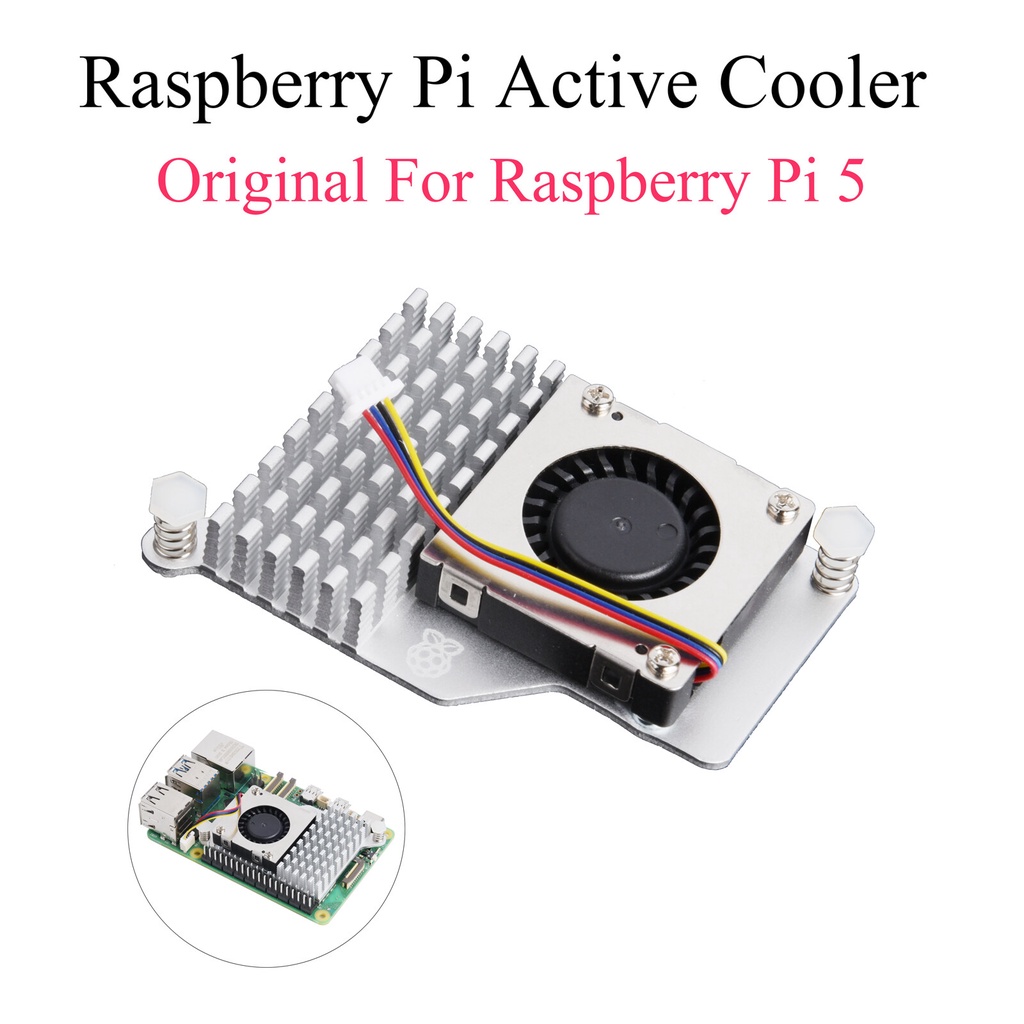
This section resolves a flag the earlier volumes carried forward: unlike the other modules in this catalog, the Active Cooling System is not sold as its own priced line item in the Carbon Computers configurator. The product page’s “Key Features” copy states “Active Cooling Included,” and its “Three Ways to Buy” comparison lists a “Cooling system” as a standard inclusion under the Plug & Play (complete-unit) purchase path — while explicitly excluding it from the Barebones Kit path. Every complete PiFlux ships with an active cooler already fitted at no separately itemized cost, folded into the $449–$849 complete-unit prices from Volume 1; there is no standalone SKU on the page to buy the cooler by itself. That resolves the price flag carried from earlier volumes: there is no missing number, because Carbon Computers does not sell it piecemeal.
The page does not publish the fan’s physical specifications — size, airflow, acoustic output, or whether it draws from the Pi 5’s own PWM fan header or an independently wired supply. Volume 4 covers the thermal analysis and power-budget implications in full; readers who need those figures should look there.
The practical consequence for a Barebones Kit buyer is worth stating plainly: with no standalone cooling SKU on the page, a Barebones build has no listed path to add the factory cooler after the fact. A builder who wants active thermal management — relevant mainly to the M.2-plus-sustained-load configuration Volume 4 addresses — needs to either accept passive cooling (adequate for lighter workloads) or source a generic third-party Pi 5 active cooler compatible with the chassis clearances.
5.6.2 When to add Active Cooling
Because the cooling system ships standard on every complete-unit PiFlux, this is less a “when to add” decision than a “what am I getting” confirmation: active cooling, already installed, no extra line item. The decision that remains live is on the Barebones path, where a builder layering the M.2 Mod onto sustained NVMe-backed workloads is the configuration where thermal headroom matters most, per Volume 4’s analysis of the Pi 5’s 80 °C soft-throttle threshold — and, lacking a factory add-on, sourcing an aftermarket cooler is the practical answer. For a lightweight terminal workload — Volume 2’s “2 GB terminal user” profile — passive cooling is plausibly adequate regardless of purchase path, which is why bundling cooling into every complete unit rather than gating it behind an upsell reads as a reasonable default: it costs the buyer nothing extra, and a terminal-only user won’t stress it anyway.
5.7 SD Cards — 128 / 256 GB
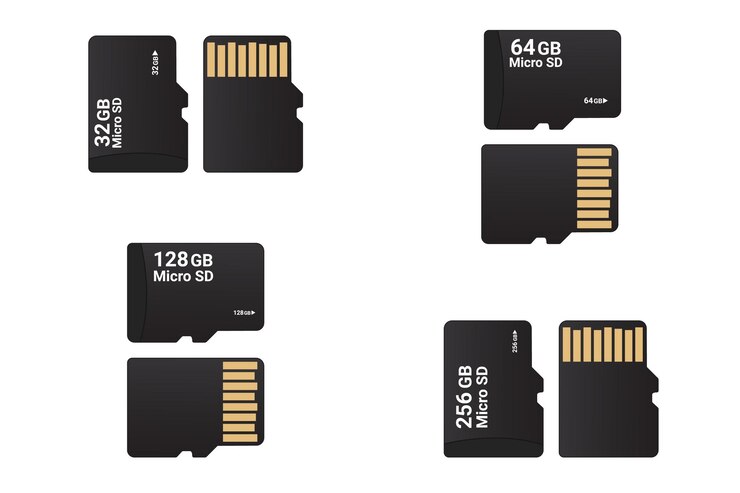
Carbon Computers lists two standalone SD card options on the product page: a 128 GB card at $49.00 and a 256 GB card at $99.00. This is a change from the earlier working assumption in this series that a 500 GB tier existed at roughly $150 — the current configurator does not list a 500 GB option at all. A reader who needs 500 GB or larger of removable storage will need to source it independently, or use the M.2 Mod (Section 4) for larger, faster storage instead of an oversized SD card.
Buying the SD card from Carbon Computers is mainly a convenience play — one fewer thing to source, with reasonable assurance the card ships validated against the PiFlux’s boot process. Buyers shopping independently should look for the qualities that matter on any Pi boot medium: a reputable endurance-oriented line — Samsung’s PRO Endurance or SanDisk’s Endurance/Extreme Pro are commonly cited — rated at least A2 for random I/O and U3 for sustained write speed, since a boot-and-OS card sees a different write pattern than a data-only card. A card dedicated to an actively-written OS is a poor candidate to double as bulk media storage; where the workflow needs both, two separate cards (or a card plus the M.2 Mod) hold up better than one card doing both jobs. Volume 7 covers SD cards in the multiboot context, where several OS images live on cards swapped at boot time.
5.8 Barebones Kit ($299)
The Barebones Kit is covered in full in Volume 1 Section 3, and the purchase decision between it and a complete unit is addressed in Volume 2 Section 5; this entry summarizes it as a catalog line item. At $299, it includes the chassis, the 5-inch touchscreen, the RGB keyboard with its integrated gyroscopic cursor, and the internal battery — it does not include a Pi 5 compute board, and per Carbon Computers’ “Three Ways to Buy” comparison, it also excludes the cooling system that ships standard on complete units (Section 6).
The Barebones Kit is the correct starting point for a reader who already owns a Pi 5, or who wants to choose a specific SKU or RAM tier independently of Carbon Computers’ bundled pricing. Fitted with any Pi 5 and a microSD card, it becomes a fully functional PiFlux before any other add-on is installed — the radio boards, M.2 Mod, External WiFi Mod, and (absent a factory option) any aftermarket cooler are all subsequent, optional layers on top of that baseline. Volume 6 walks the full assembly procedure from this exact starting point.
5.9 3D-Printed Case (DIY) ($49.99)
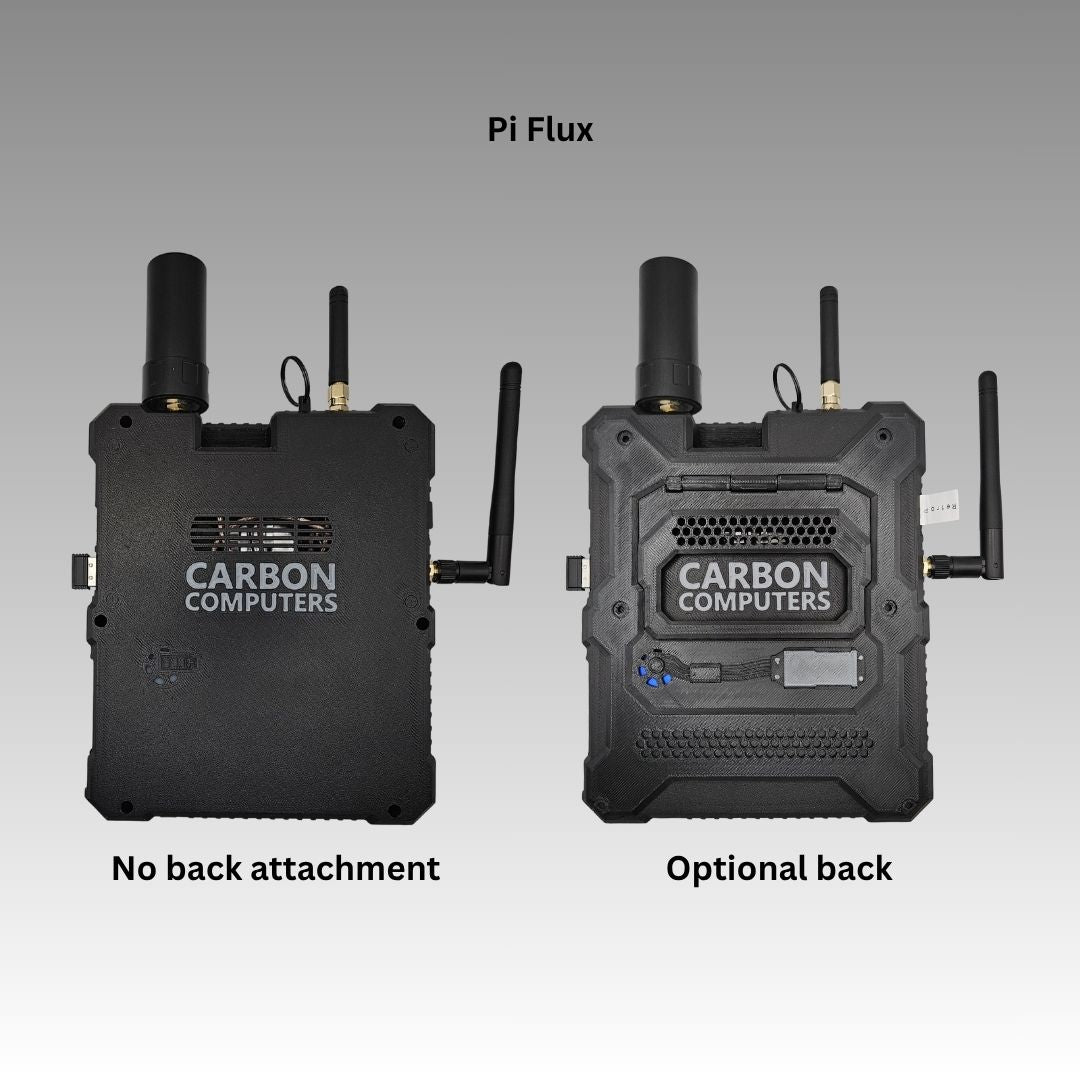
Carbon Computers lists a “PART ONLY — 3D Printed Case for DIY” at $49.99 as a replacement chassis for builders who want to modify the PiFlux’s housing rather than use it as shipped — a different color, a different surface finish, additional apertures for modules not in the standard catalog, or as the starting shell for a derivative design built on the PiFlux’s internal layout. The product page does not state whether this purchase includes design files (STL or STEP) for further modification, or whether it is strictly a pre-printed physical part with no source files provided; a reader planning to iterate on the design themselves, rather than use the printed part as-is, should confirm file availability directly with Carbon Computers before assuming open files are part of the purchase.
Either way, this is the natural entry point for a maker treating the PiFlux as a platform rather than a finished product, and it pairs naturally with the Barebones Kit for a builder assembling a fully custom variant from the ground up.
5.10 Add-On Selection Matrix
Table 1 — 10. Add-On Selection Matrix
| Reader profile | M.2 Mod | Base Radio | Advanced Radio | Ext. WiFi | Active Cooling | Notes |
|---|---|---|---|---|---|---|
| Terminal-only field user | Optional | Optional | — | — | Included on complete units | Lightweight workload; passive cooling likely adequate regardless |
| SDR + amateur radio operator | Recommended | — | Required | Optional | Included on complete units; source aftermarket if Barebones | See Vol 8 for SDR software and band detail |
| Security researcher / pentester | Recommended | — | Optional | Required | Included on complete units | Dual Wi-Fi for monitor/management split + large NVMe for captures |
| Maker / derivative builder | Optional | Optional | Optional | Optional | Not sold standalone — see Section 6 | 3D-Printed Case likely of interest; Barebones is the natural base |
The Active Cooling column reads differently from the other four because, as Section 6 establishes, it is not a purchase decision at all for complete-unit buyers — it is already there. The live decision only exists on the Barebones path, where Carbon Computers offers no factory answer and the builder sources their own solution if the workload demands it.
5.11 Resources
Table 2 — 11. Resources
| Resource | URL |
|---|---|
| PiFlux add-ons (Carbon Computers) | https://carboncomputers.us/products/pi-flux |
| Vol 3 — M.2 Storage (full treatment) | ../../PiFlux/02-inputs/volume_sources/vol3.md |
| Vol 4 — Power & Thermal | ../../PiFlux/02-inputs/volume_sources/vol4.md |
| Vol 6 — Full Build with All Add-Ons | ../../PiFlux/02-inputs/volume_sources/vol6.md |
| Vol 8 — SDR Capabilities | ../../PiFlux/02-inputs/volume_sources/vol8.md |
Comments (0)