DFCD · Volume 3
Printing the Chassis
STEP and mesh file inventory, print settings, orientation, material, and post-processing for the DFCD structure
3.1 File Inventory
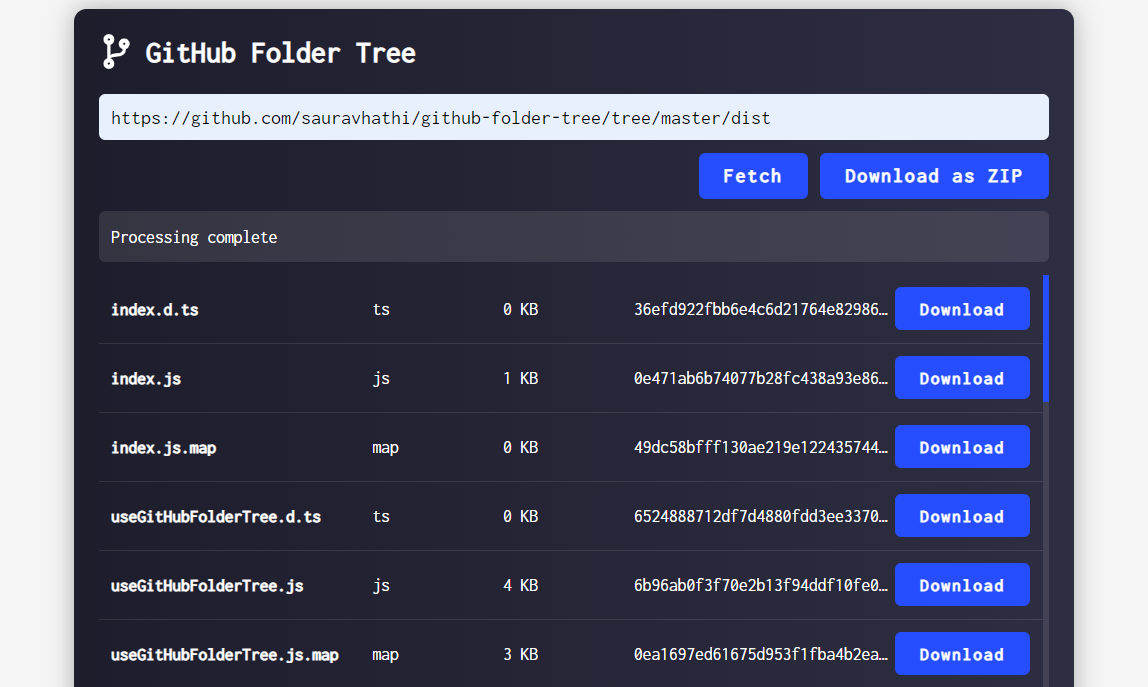
The upstream repository (github.com/ArcticEnrichmentCenter/DFCD-cyberdeck-files) publishes the DFCD’s structure in two parallel formats plus one specialized folder: a DFCD STEP files directory holding five CAD-native assemblies, a DFCD mesh files directory holding 82 individual print-ready parts organized by sub-assembly, and a separate Dragchain step directory holding three drag-chain STEP files kept apart from the main STEP set. A Hardware list.md (Volume 2) and a README.md sit alongside them at the repo root; a companion wiki (reached for this volume by cloning the repo’s .wiki.git companion, since direct page fetches returned server errors) carries three build-guide articles referenced throughout this volume.
3.1.1 STEP Files
The five STEP files are each a full parametric assembly, one per major structural unit, ranging from 22 to 39 MB:
Table 1 — The five STEP files are each a full parametric assembly, one per major structural unit, ranging from 22 to 39 MB
| File | Size | Assembly |
|---|---|---|
Central unit.step | 22.0 MB | The core chassis: upper/lower chassis halves, the sliding-screen frame and base, the rear rail bar, and the drag-chain mounting geometry. |
Battery module compact v29.step | 36.7 MB | The right-side NP-F battery bay (Volume 2 §5.1). |
Trackball unit marble compatible v29.step | 36.7 MB | The right-side trackball module, sized to the harvested Logitech Marble electronics (Volume 2 §4.1). |
External connector module.step | 35.8 MB | The left-side expansion-port module — printed and mounted, wiring still WIP (Volume 1 §3.1, Volume 7). |
Scroll module v48.step | 38.6 MB | The left-side scrolling-handle module, also WIP on the wiring side. |
Opening any of these in FreeCAD, Fusion 360, or another STEP-compatible tool exposes the full assembly tree for inspection or modification — the starting point for a builder changing screen size, compute board, or module geometry, per the upstream project’s explicit invitation to redesign (Volume 1 §3.1). Three of the five filenames carry version suffixes (two at v29, one at v48); a fresh clone of the repo should be expected to show higher numbers as the author continues revising, consistent with the README’s own note that “this project is actively evolving” and that “some parts may not yet have complete documentation.” Neither the picatinny rail-clamps nor the drag-chain segments have a dedicated STEP file of their own outside the two locations above — the clamps appear to have been adapted directly at the mesh level from a third-party Thingiverse design (§2.3), and the drag chain has its own STEP folder entirely (§1.3). This volume will not guess at an unpublished internal STEP structure inside the five listed assemblies beyond what the file tree itself shows.
3.1.2 Mesh Files
The mesh files resolve one of this volume’s original open questions cleanly: every mesh file in the repository is a 3MF, not an STL — 82 of them across the tree, none in any other format. 3MF can carry richer per-object metadata than a bare STL (named objects, and potentially per-part print settings depending on how the exporting CAD tool wrote the file), though whether the upstream author embedded any print-specific metadata inside these particular files is [VERIFY — open one in a slicer to check]; nothing in the repo’s own documentation describes the 3MF export process.
The 82 parts split into two branches that mirror the physical device:
- Central unit (39 parts):
Chassis(17 parts across Additional bits, Bearing housings, Lower chassis, Vents, picatinny rails, and upper chassis subfolders),Dragchain(3 parts), andScreen(19 parts across Antenna, Base, Buttons, Linear hardware, Screen frame, and Screen vents subfolders). - Modules (43 parts):
Left side(22 parts — External connector module, the Left long/short picatinny clamps, and the Scroll module) andRigth side[sic — the upstream folder is spelled this way throughout, an author typo preserved here so builders can match it against their own clone] (21 parts — Battery module, the Rigth long/short picatinny clamps, and Trackball module).
Every mesh part corresponds to a physical print; none are pre-assembled multi-part files. A builder slicing the whole device works through these folders roughly in the order the wiki’s build guide follows: chassis first, then screen, then drag chain, then the four side modules (§2–§4).
3.1.3 Drag-Chain STEP Files
The drag chain has its own STEP folder, separate from the five main assemblies: Dragchain end segment.step, Dragchain segment.step, and Dragchain ende v9.step [sic]. That last filename carries a v9 suffix — the lowest version number among the repository’s versioned STEP files (the Scroll module’s v48 is the most-iterated; see §4.3) — though drag chains are generally a fiddly geometry to get right, with link pitch, pin clearance, and bend radius all interacting. The mesh side carries three corresponding parts under Central unit/Dragchain: Dragchain end segment.3mf, dragchain segment v2.3mf, and Dragchain segment v4.3mf — two segment-mesh versions coexist in the current tree, and which one is current versus superseded is [VERIFY — not stated in the repo; print the higher version number (v4) unless the wiki or an issue thread says otherwise].
The design itself is not original to the DFCD: the wiki’s chassis build-guide page states plainly that “the parts for the cable chain are a modified verison [sic] of this model,” linking Printables’ “Yet Another Parametric Drag Chain” (printables.com/model/179731). The upstream author adapted that parametric drag-chain generator to the DFCD’s link pitch and mounting geometry rather than designing a chain from scratch — a sensible reuse of a well-solved mechanism, and useful context if a builder needs to regenerate a link count for a modified screen-travel distance, since the source model’s own parametric tool would be the more flexible starting point than reverse-engineering the DFCD’s fixed-length chain.
The wiki’s build-guide sequence: the drag chain snaps onto mounting lugs on the chassis after the cables are threaded through it, then both ends plug into the Raspberry Pi 5. The bundle running through it is confirmed as exactly two cables — “one HDMI ribbon cable, and one USB cable for power to the screen” — matching Volume 2 §2.2’s micro-HDMI ribbon assembly and the touch panel’s separate USB HID connection. The number of links needed for the screen’s actual slide travel is not given anywhere in the accessible upstream material — the repo publishes fixed-length segment and end-cap files rather than a stated link count, and no dimension for the screen’s travel distance appears in the README, hardware list, or wiki. A builder should count links against the physical screen-rail travel (§2.2) rather than assume a specific number from this volume.
3.2 Core Chassis
3.2.1 Main Body
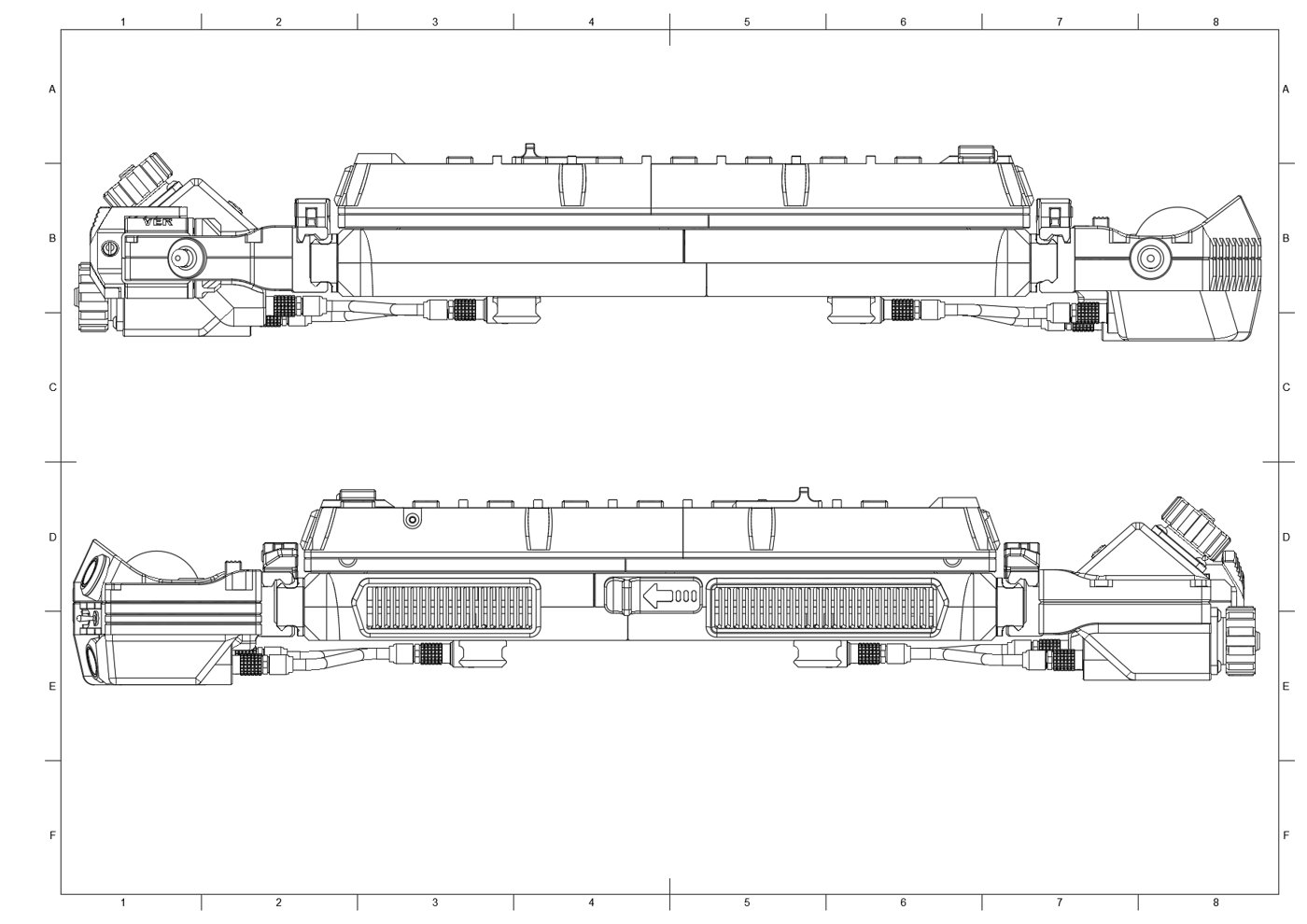
The central unit’s chassis is built from an upper and a lower half. Per the wiki’s chassis build-guide, the upper chassis receives the sliding rail’s linear bearings, each seated in a printed bearing housing (Bhousing left/Bhousing rigth [sic] and their caps — four parts total) before the housings go into the upper chassis sections. The lower chassis is itself printed in two halves that the guide says must be “welded togheter with a soldering iron” — running a heated tip along the seam and feeding in molten filament as filler, the same general technique used to close large prints that exceed a single bed. Ventilation frames and the rail-mounting points are inserted into the lower chassis before the two rails (§2.3) are wired and screwed down, the wires fed through cutouts in the chassis, and the upper and lower halves are finally stacked and screwed together.
The confirmed file structure settles where the NP-F battery physically lives: in its own detachable Battery module on the right side (§4, docked via the picatinny clamps like the trackball module), not inside the central unit’s own body — consistent with Volume 2 §5.1’s description of the pack mating to the step-down module in the power module rather than a central-chassis bay. The central unit’s main body instead houses the Raspberry Pi 5 and its Joy-it cooler (Volume 2 §1.2) directly, with the battery’s 7.2 V arriving over the rail connectors from the docked module and getting stepped down to 5.1 V somewhere in that power path (Volume 5 works through where exactly the step-down module physically sits). Internal clearances for the Pi 5 with its cooler installed are not dimensioned in any accessible upstream document — [VERIFY against the STEP file directly, or the assembled unit] — but the two-piece Joy-it case’s compact footprint (Volume 2 §1.2) is specifically why it was chosen to fit this chassis at all.
3.2.2 Sliding Screen Rail
The slider mechanism confirmed by the wiki and mesh tree is a linear-bearing-on-guide-rod system, not a dovetail or printed-rail slide: the upper chassis’s bearing housings (§2.1) hold linear bearings that ride on guide rods, and the screen’s own base — assembled by welding its two halves together the same way as the lower chassis, per the screen-unit build guide — locks onto those rods once they’re installed, with a Rod clamp part (Screen/Linear hardware) securing the rod-to-base joint. The completed base with its sliding mechanism then receives the screen frame (Left screen frame/Rigth screen frame), which is itself two halves screwed together, followed by the surrounding tactile buttons, a flip-up antenna and its spring-loaded release, and a two-position slide switch — all confirmed from the wiki’s screen-unit build-guide sequence.
The screen-release mechanism itself (Additional bits/Screen release.3mf) locks the slider closed: the wiki describes its pin as “made by cutting a screw or threaded rod,” held in the locked position by a spring “sourced from a ballpen” (a ballpoint pen’s internal spring) — a scrappy, deliberately low-parts-count design rather than a purpose-bought spring. No tolerance figures for the bearing-housing bore or the rod diameter appear anywhere in the accessible upstream material, so the fit precision needed for smooth slide action is [VERIFY against the STEP file dimensions, or by test-fitting the printed bearing housings against the actual guide-rod stock before committing to a full print run]. §6.2 covers the general fit-adjustment work a builder should expect at this joint.
3.2.3 Rear Module Attachment Points
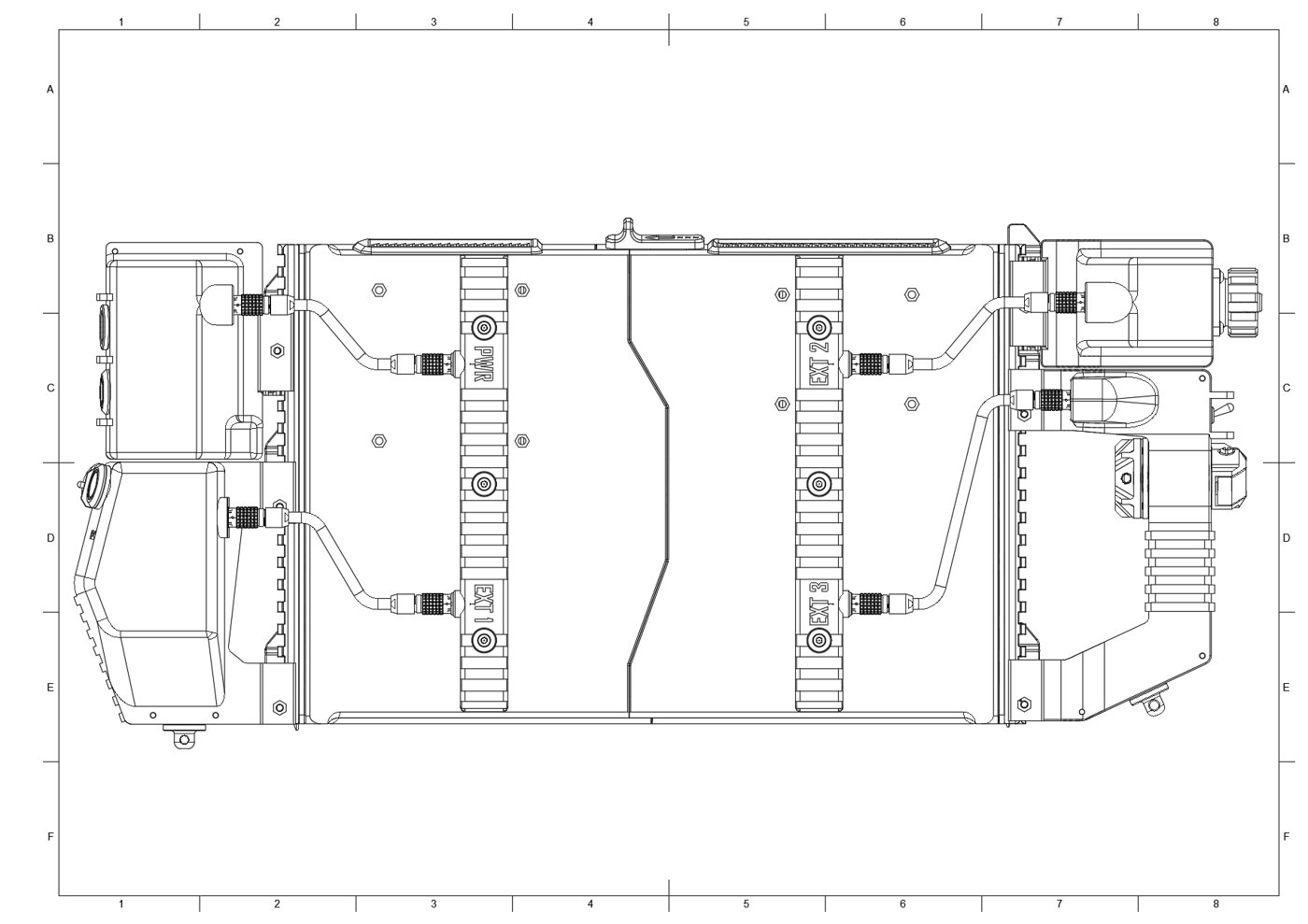
The rear rail assembly — three mesh parts (Rigth USB rail, left USB rail, picatinny rail) — is the DFCD’s single most functionally dense structural element. It does two jobs at once. First, it is the electrical rail: Figure 3.3 shows the four self-locking sockets molded into it, labeled PWR, EXT 1, EXT 2, and EXT 3, each wired (per the wiki) with one USB cable running to the Raspberry Pi 5, plus a separate power-plug pair carrying DC+ and DC− to a power-on button circuit. The build guide is explicit that solder joints here should be verified before hot glue is applied over them for strain relief. Second — and this is a detail neither Volume 1 nor Volume 2 captured — the rail is a genuine Picatinny/NATO accessory rail, not merely a docking edge styled to look like one: the wiki’s home page states the modules “connect to the central unit on the bottom side via rails that both carry power through plugs on the side, and allows for the device to be mounted vi [sic] NATO rail clamps.” That is, the same rail geometry that docks the four side modules is a standard enough accessory-rail profile that the DFCD (or a module on it) could in principle be clamped to any NATO/Picatinny-rail-equipped mount, not just to itself.
The lever clamps that grip this rail (Picatinny clamps Left/Picatinny clamps on the right, eight parts per side split into long and short variants) are, per the dedicated wiki build-guide page for them, “a modified version” of a Thingiverse rail-clamp design (thingiverse.com/thing:3515707), with the upstream author’s changes limited to more comfortable lever ergonomics, clearer part numbering/marking, and print-optimization of the main body — not a from-scratch mechanism. Assembly is a pivot pin pressed into the lever, an M3×35 screw run through the clamp body and threaded into that pivot, with final clamping force set by how far the screw is turned in — the one place in the whole upstream documentation where a fastener is explicitly described as field-tunable rather than torqued to a fixed spec (carried into §6.2). Volume 4 is the reference for wiring the EXT/PWR conductors through to the Pi 5’s GPIO and USB headers once the rail is physically assembled.
3.3 Drag-Chain Parts
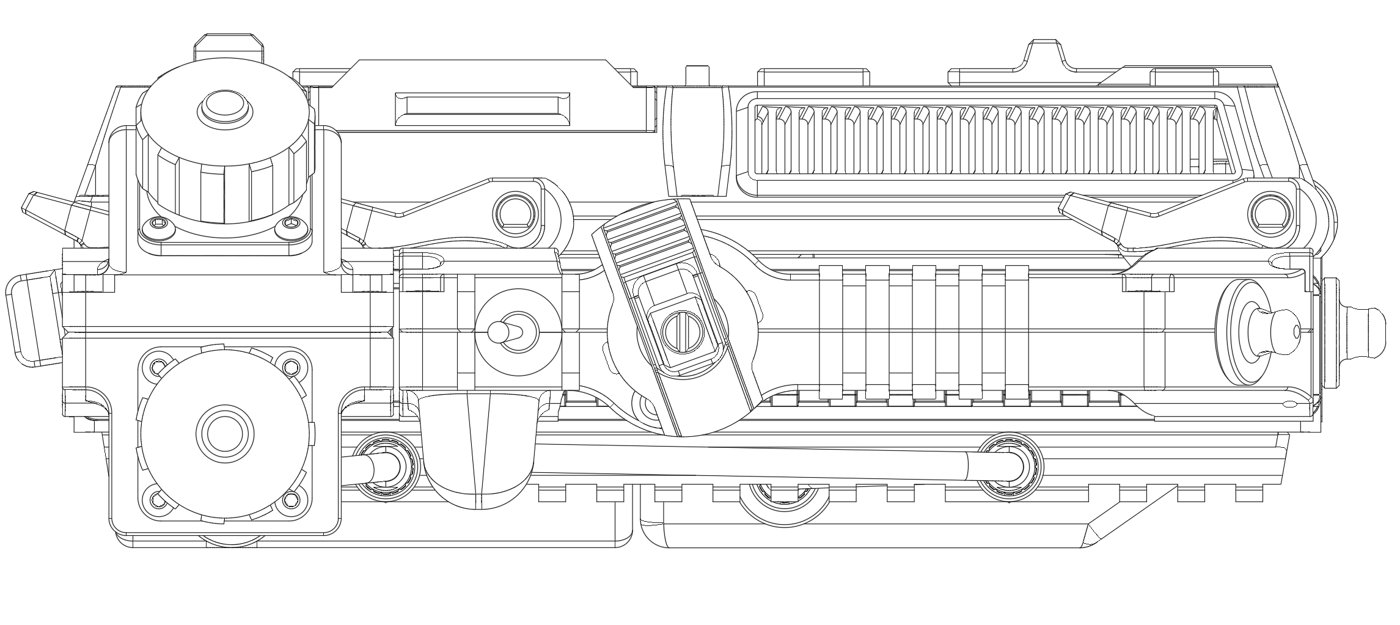
The drag chain’s role and file inventory are covered in §1.3; this section restates the physical assembly sequence since it belongs conceptually with the rest of the chassis build. Per the wiki, after the chassis is stacked and the Raspberry Pi 5 and keyboard are mounted and wired, the drag-chain segments are assembled around the two cables that must flex as the screen travels — the HDMI ribbon and the screen’s USB power cable, both confirmed by name in the build guide, with no additional signal wiring reported crossing the sliding joint. The assembled chain then snaps onto mounting lugs built into the chassis and, on the screen side, is screwed down to the screen frame directly (per the screen-unit build guide) rather than only clipped. Both cable ends plug into the Raspberry Pi 5 side once the chain is seated.
The end-segment part (§1.1, Dragchain end segment) is the fixed anchor bracket; the segment parts (v2/v4 mesh, and the corresponding STEP files) are the repeating flexible links. Because the upstream repo does not publish a bill-of-materials line for “how many links,” a builder should treat the printed segment as a unit to be duplicated to the measured travel distance of their own assembled slider rather than trust a fixed count carried over from this volume — the safest approach given screen-rail travel isn’t dimensioned in any source reachable for this authoring pass. This is one of the few places in the DFCD’s design where a builder effectively completes a parametric decision the upstream author already made a tool for (the Printables source model, §1.3) but did not carry through to a single published number.
3.4 Module Components
3.4.1 Trackball Module
The right-side trackball module — four mesh parts (Bottom chassis, Screw mount, Sling mount, Top chassis) plus its own STEP file, whose name (Trackball unit marble compatible v29.step) confirms the enclosure was purpose-fit to the harvested Logitech Marble electronics rather than a generic trackball shell (Volume 2 §4.1). It docks to the chassis via the right-side picatinny clamps, alongside the Battery module (§2.1’s correction) — both right-side modules share the same rail-and-clamp interface described in §2.3. The Sling mount part is the module’s shoulder-strap attachment point; the README’s note that “on the forward facing modules you find mounting points for a shoulder strap” (plural) is corroborated exactly by the mesh tree, since the left-side Scroll module carries its own equivalent Strap mount part (§4.3) — the DFCD’s strap attaches at two points, one per side, not a single central point.
3.4.2 Left Connection Module (WIP)
The left-side external connector module — three mesh parts (Chassis bottom, Chassis top, Internal nut holder) plus its own STEP file — is fully designed and printable; its geometry establishes the port cutouts and the docking interface to the left-side picatinny clamps. What remains unresolved, per the README’s own status note, is the wiring: “what I have not done yet is to wire up the scrolling handle and connection module on the left.” The printed shell and its mounting are therefore build-ready today; the electrical path from whatever ports a builder installs through to the Pi 5’s USB or GPIO is not part of the reference build and is not documented anywhere in the accessible upstream material. A builder printing this module ahead of the wiring being resolved should treat it as a mechanical placeholder — correctly dimensioned, electrically undefined — until either the upstream project or Volume 4/7 of this series documents a wiring scheme.
3.4.3 Scrolling Handle (WIP)
The left-side scroll module is the most complex single mesh subfolder in the repository — eleven parts (Encoder mount, Encoder nut, Handle chassis bottom, Handle chassis top, Hinge, Internal crew mount [sic, almost certainly an “internal screw mount”], Nutholder, Scroll, Selector frame, Selector release, Strap mount) plus its own STEP file, whose v48 suffix is the highest version number in the whole repo — marking it as the single most-iterated part in the design (§1.3). This module resolves a question left open in Volume 2 §7.1: the rotary-encoder-with-click line item from the hardware list has a confirmed home — the Encoder mount and Encoder nut parts sit inside this exact module, alongside a Hinge that plausibly lets the handle pivot for the vertical/horizontal panning gesture Volume 1 describes. Beyond that structural placement, the same WIP status applies as the connection module: the mechanical parts are designed and printable, but the encoder’s electrical connection to the Pi 5 is not part of the working reference build, per the README. Volume 7 tracks both WIP modules as the next phase of the design’s evolution.
3.5 Print Settings
3.5.1 Material
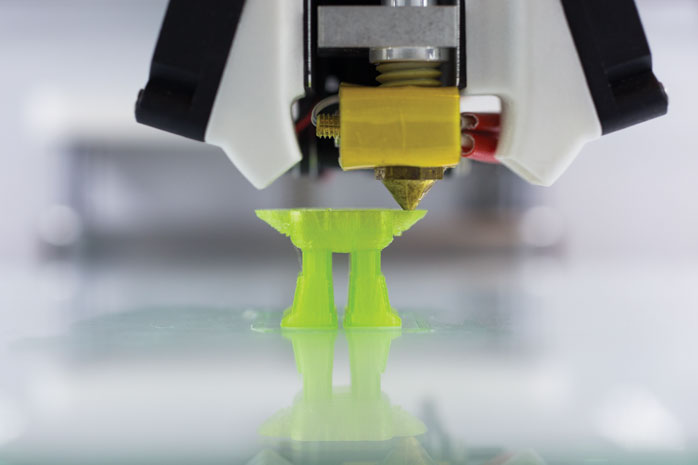
This volume made a fresh attempt to resolve the print material beyond Volume 2 §8.1’s own hedge, including a route that had previously failed: the upstream wiki’s build-guide pages, which returned server errors on direct fetch in the prior authoring pass but were retrieved successfully this time by cloning the wiki’s own .wiki.git companion repository. None of the three build-guide articles (chassis, screen unit, picatinny clamp) name a filament material, and neither the README nor the hardware list does either. The material remains genuinely [VERIFY — not published anywhere reachable for this volume; ask in a repo issue or check the build video].
One real, if indirect, signal did turn up: the chassis and screen-base halves are joined, per the wiki, by “welding” the seam with a soldering iron while adding molten filament as filler — a technique that works across PLA, PETG, and ABS/ASA alike, since a heated tip run at a few hundred degrees will locally melt any common FDM filament. That rules out solvent welding (which would specifically imply ABS, dissolved with acetone) as the joining method, but it does not point to any one candidate material — it is simply agnostic to the choice. Absent a confirmed spec, the same tradeoff analysis from Volume 2 §8.1 carries forward here: PLA is the easiest to print but softens near its ~60 °C glass-transition temperature, a real risk for a device the DFCD’s own design brief (Volume 1) frames as living in “a warm workshop environment” — a chassis part warping under a shop’s midsummer heat, or under residual heat near a running tool, is a structural failure a workshop tool cannot afford. PETG trades a small amount of print-tuning difficulty for meaningfully better heat and impact tolerance on the same hardware, and remains this volume’s pragmatic recommendation for the reference build absent an upstream-confirmed alternative. ASA/ABS push both properties further still, but need an enclosed, heated print chamber to avoid warping (and ABS specifically needs ventilation during printing) — a reasonable choice for a builder already equipped for it, not a default recommendation for a first build.
3.5.2 Layer Height and Infill
No layer height, infill percentage, or infill pattern is specified anywhere in the upstream repository, wiki, or hardware list — this is a genuine [VERIFY: unpublished by the upstream project], not a value this volume will manufacture and present as fact. What follows is general FDM-enclosure practice, offered as a reasonable starting point rather than an upstream recommendation: the structural chassis parts carrying screw and clamp loads (the upper/lower chassis halves, bearing housings, rail sections, and the four module shells) are the kind of part typically run at 0.2 mm layer height with three to four perimeter walls and 25–40% infill in a gyroid or cubic pattern, since they need to resist both the clamp-lever clamping force (§2.3) and ordinary handling stress. Cosmetic or unloaded parts — the vents, antenna trim, button caps, screen-frame covers — can reasonably drop to 15–20% infill, since their job is coverage and fit rather than load-bearing. A builder should treat these as a sensible default, not a documented upstream setting.
3.5.3 Orientation and Supports
The upstream project publishes no per-part orientation guide. What can be inferred from the geometry and the wiki’s own assembly description: the lower chassis is printed as two separate halves that are welded together afterward (§2.1) — a strong hint that each half is designed to print without needing to bridge across the full chassis width, likely oriented with its split face down against the bed, though this is inference from the assembly sequence rather than a confirmed slicer setting. The parts most likely to need orientation care for functional (not just cosmetic) reasons are the ones with close-tolerance or interlocking features: the bearing housings (which must hold the linear bearings concentrically, §2.2) and the picatinny rail’s slot teeth (which must mate cleanly with the clamp levers, §2.3). The many small parts — buttons, antenna trim, retainers — are small enough in profile that they can plausibly print in a batch without extensive support structures, but this cannot be confirmed without opening the 3MFs in a slicer and inspecting each part’s actual geometry, which is [VERIFY at slice time] rather than something this volume will assert as settled.
3.5.4 Bed Adhesion
No upstream guidance exists here either. The general risk worth flagging: the large, mostly flat lower- and upper-chassis panels are exactly the shape most prone to corner lift and warping, and that risk increases with the higher-heat-resistant materials this volume otherwise recommends (§5.1) — PETG and especially ASA/ABS shrink more on cooling than PLA does, which is the mechanism behind warping on a large flat panel. A brim, a well-adhering bed surface, and (for ASA/ABS) an enclosed chamber are standard mitigations for a panel this size; none of this is upstream-specific advice, and no upstream document flags any particular DFCD part as a known bed-adhesion problem child.
3.6 Post-Processing
3.6.1 Support Removal
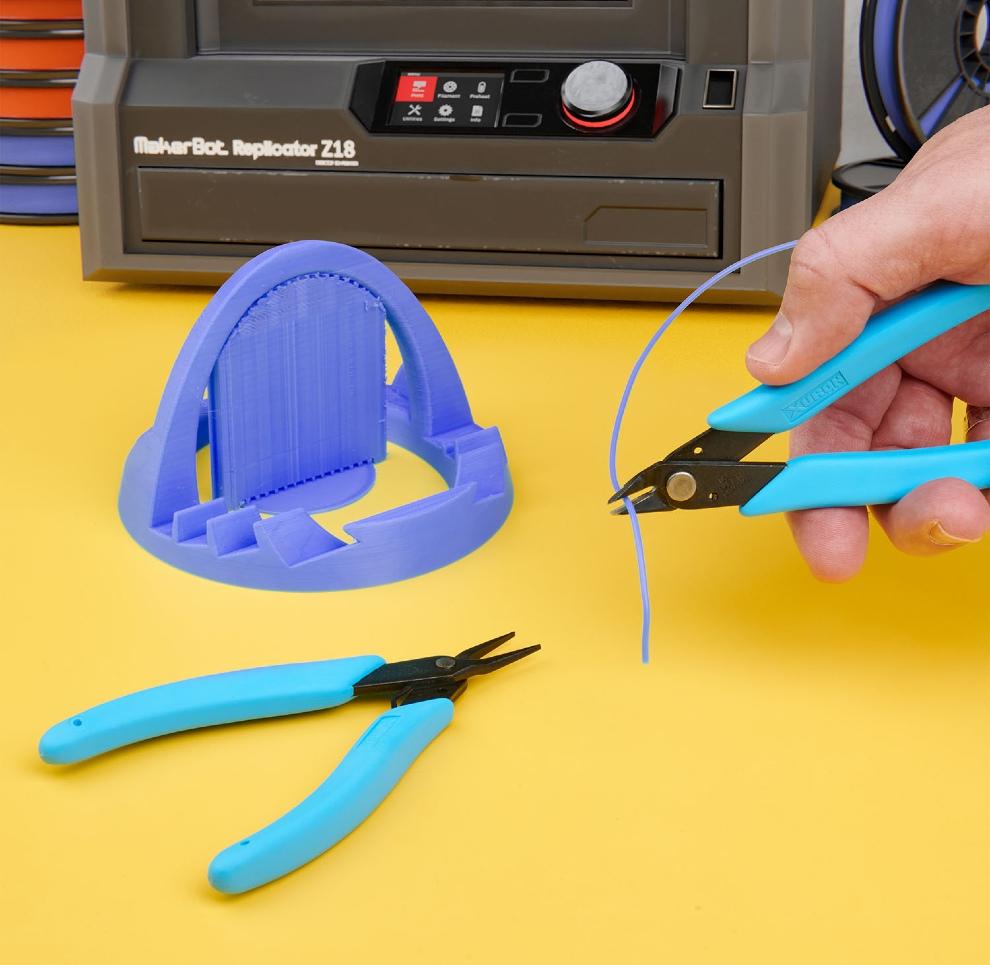
The upstream build guide does not walk through support removal part-by-part, so which of the 82 mesh parts actually require support material, and where, is [VERIFY at slice time against each part’s geometry] rather than something this volume will enumerate without having sliced the files. What the wiki does document, precisely, is a related but distinct post-print step that functions as this device’s real chassis-finishing work: the lower-chassis halves and the screen base are joined by running a soldering iron along the seam and feeding in molten filament as filler — described in the guide as “welding togheter” the halves. This is functionally a plastic-welding operation rather than ordinary support cleanup, and it happens before final assembly (screws, rails, wiring) rather than after — sequence it as the first post-print step for those two parts specifically, ahead of any conventional support snapping or trimming on the rest of the print run.
3.6.2 Fit and Tolerance Adjustment
No numeric tolerance figures are published anywhere upstream for the sliding-screen bearing/rod fit (§2.2). The one place the upstream documentation is explicit about a field-adjustable fit is the picatinny clamp: the wiki states plainly that once assembled, “the screw must be adjusted so that the clamp clamps the picatinny rail securely” — meaning the clamping force is set by how far the M3×35 pivot screw is threaded in, not by a fixed torque spec or a printed feature sized to an exact tolerance. A builder should expect to tune this by feel on each of the eight clamp assemblies (four per side) rather than print-and-forget. The sliding-screen bearing housings are the other candidate for light sanding or reaming if the linear bearings sit too tight after printing, following ordinary FDM practice for any close-fit bore — but the upstream project gives no specific guidance on how much material to expect to remove, so this remains a test-fit-as-you-go recommendation rather than a documented figure.
3.6.3 Surface Finishing
Surface finishing — sanding, priming, or painting the visible chassis panels — is outside the functional scope of this build and is not discussed anywhere in the upstream documentation. Builders who want a finished rather than a raw-printed appearance can apply standard FDM cosmetic-finishing techniques (filler primer over sanded layer lines, then paint) to the exterior panels; nothing about the DFCD’s design requires it, and the reference build as documented in the wiki and build video appears to be used with a raw print finish.
3.7 Alternative: PCBWay Manufacturing
For builders without 3D-printing access, the README confirms this path is not a generic afterthought but an active sponsorship relationship: “this project is supported by PCBWay,” which the author credits with helping “keep the project files free to download, spend more time improving the CAD design, and document my builds.” The README frames PCBWay’s relevant services plainly — “PCB fabrication, PCB assembly, CNC machining, and 3D printing” — as an option for having parts manufactured directly from the project’s STEP files rather than printing them at home, with a general quote link at pcbway.com.
Ordering, in general terms consistent with how PCBWay’s platform works: a builder uploads one of the five STEP files (or the individual 3MF mesh parts, for finer per-part control) to PCBWay’s instant-quote system, selects a manufacturing process (3D printing specifically, among the several PCBWay offers) and a material from the options that process presents, and receives a quote before committing to an order. Neither the README nor the hardware list publishes DFCD-specific cost figures for this path, and this volume will not manufacture a number where the source material doesn’t provide one — cost [VERIFY directly with PCBWay’s quote tool at order time, since per-part and per-material pricing is not published by the upstream project]. Volumes 2 (bill of materials) and 4 (assembly) are the natural companions once parts arrive by whichever manufacturing path a builder chooses.
Comments (0)